
AutoTalker Mobile App: Manage Digital Vehicle Displays from Your Phone with Ease.
- Manage Digital Vehicle Displays from Your Phone
- How Does the AutoTalker Mobile App Work?
- What Else Can You Manage Through the AutoTalker Mobile App?
- Is the AutoTalker Mobile App Secure?
- Can You Try the AutoTalker Mobile App Before Using It?
- Take Control of Your Dealership Displays with the AutoTalker Mobile App
- Frequently Asked Questions
Manage Digital Vehicle Displays from Your Phone with the AutoTalker Mobile App
Managing vehicle pricing across a dealership involves plenty of repetitive work. Staff need to keep prices accurate, assign printed price cards to the right vehicles, update promotional messages, and make sure every card reflects the correct information. The AutoTalker mobile app brings these tasks together, giving dealership teams a central place to manage digital vehicle pricing displays and connected signage from their phones.
Connected to your existing dealer management system (DMS), AutoTalker synchronises vehicle information and pricing with digital displays across your dealership. Staff can also scan number plates to link vehicles and monitor connected devices without having to search through separate systems. For dealerships looking to reduce expensive manual administration, the app puts more control directly into the hands of the people working on the forecourt.
How Does the AutoTalker Mobile App Work?
AutoTalker connects your dealership’s stock information with its digital displays, allowing vehicle details and pricing to be managed centrally. Once your DMS integration and displays are configured, the app provides the tools staff need to keep connected screens up to date.
- Connect your existing dealership management system
AutoTalker integrates with your existing DMS or supported vehicle stock feed, drawing on the information already held in your dealership systems. This can include vehicle descriptions, registration details, prices, specifications, and finance information, depending on the data supplied by your integration.
Supported connection methods include APIs, CSV, XML, JSON, and SFTP feeds. Once the integration is configured, vehicle information can synchronise with AutoTalker and populate the relevant digital vehicle pricing displays. Your team doesn’t need to enter the same stock information manually into another system.
- Link vehicles to digital displays
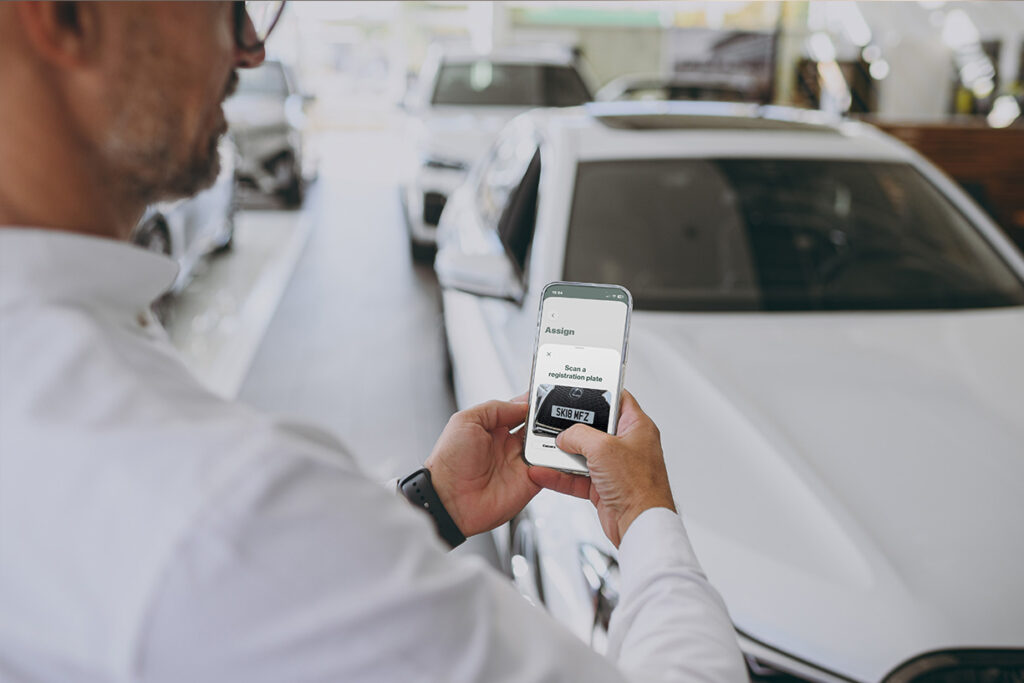
Each digital vehicle pricing display needs to be associated with the correct vehicle before it can show the relevant information. AutoTalker offers several ways to do this, including number plate recognition, barcode scanning, and NFC pairing.
Staff can use their phone’s camera to scan a vehicle registration and identify the corresponding stock record. Once the vehicle has been identified, they can link it to the appropriate display through the app. This reduces the need to search through stock lists or manually enter vehicle details during the assignment process.
- Synchronise prices and display information
When vehicle pricing or stock information changes in your connected DMS, AutoTalker can synchronise the updated information with the relevant displays.
Digital templates respond to changes in the underlying data, so updated prices and promotional layouts can appear without staff having to redesign each display. This helps keep vehicle information consistent across the forecourt and showroom.
- Monitor your dealership’s connected devices
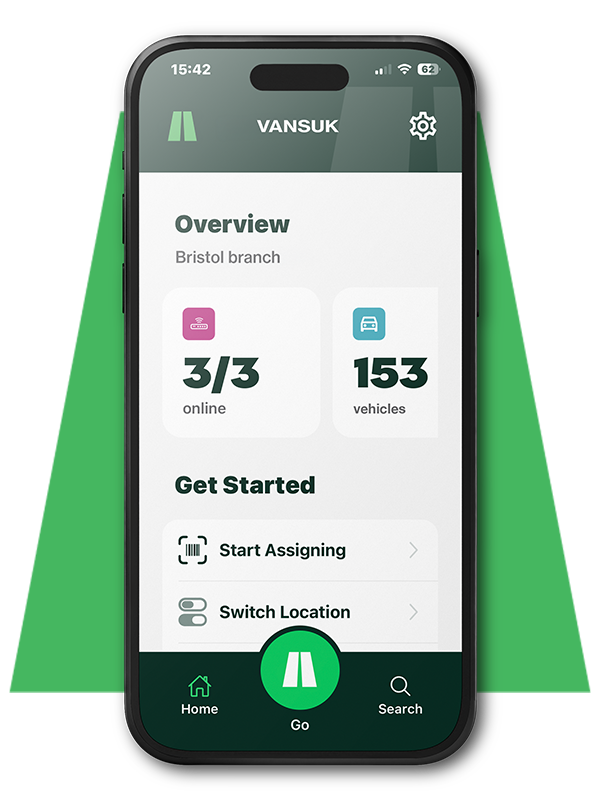
The AutoTalker mobile app provides an overview of connected digital vehicle pricing displays, access points, integrations, and dealership screens. Administrators can check device status and receive notifications about issues such as low batteries or displays going offline.
This means staff can identify potential problems without physically checking every vehicle on the forecourt. For dealerships managing stock across several locations, centralised monitoring also makes it easier to see what’s happening across the wider network.
What Else Can You Manage Through the AutoTalker Mobile App?
The AutoTalker mobile app includes a range of additional tools for dealership teams and administrators. These features help manage connected devices, control access, and keep display content relevant across different areas of the business.
| AutoTalker mobile app feature | How it helps your dealership |
| Display monitoring and alerts | Receive SMS notifications about offline devices and low batteries. |
| Lost display protection | Receive an alert if a display leaves the dealership for more than one hour, allowing for test drives. |
| User permissions | Add, disable, and manage staff access according to their role and responsibilities. |
| Biometric authentication | Use Face ID or supported biometric authentication for app access. |
| Rapid deployment mode | Register multiple displays in quick succession. |
| LED functionality | Use up to seven colours on selected displays to highlight vehicles or promotions. |
| Notification preferences | Allow individual users to choose which alerts they receive. |
These features are particularly relevant to dealerships managing larger display networks. Administrators can oversee access and device status, while sales staff can concentrate on the stock and displays relevant to their work.
The AutoTalker mobile app also includes an in-app QR code for configuring new users’ dealership settings. This helps reduce the time needed to onboard additional staff, particularly when teams change or new branches are added to an existing account.
Is the AutoTalker Mobile App Secure?
AutoTalker uses cloud infrastructure and encrypted communications to protect dealership data as it moves between connected systems. The platform also includes role-based permissions, biometric authentication on supported devices, and two-factor authentication.
Access can be restricted according to user role, branch, department, or functionality. This allows dealership management to determine which staff can access particular areas of the platform, helping maintain appropriate control across the business.
Another feature is image-based display delivery. AutoTalker converts display content into image output before sending it to connected digital vehicle pricing displays, rather than transmitting raw, editable data directly to the display hardware. This approach is designed to minimise data exposure between internal systems and connected devices.
The app also provides visibility of connected devices and integrations, helping administrators identify connectivity issues. AutoTalker offers UK-based technical support for onboarding, integration, troubleshooting, and training.
Can You Try the AutoTalker Mobile App Before Using It?
Yes. The AutoTalker mobile app offers a demo experience, allowing prospective users to explore the software with a digital vehicle pricing display simulator.
Once you’ve downloaded the app on the App Store or Google Play, you can use the simulator to explore vehicle registration, display assignment, and template updates. It’s a practical way to see how the software works before introducing it to your dealership.
For dealerships considering a wider installation, AutoTalker can also discuss your existing DMS, display requirements, and integration needs. The team can help establish which setup is appropriate for your stock, locations, and current systems.
Take Control of Your Dealership Displays with the AutoTalker Mobile App
The AutoTalker mobile app brings vehicle pricing, display management, and connected dealership signage together in one place. With DMS synchronisation, ANPR vehicle linking, and centralised control, it gives dealership teams a more direct way to keep vehicle information accurate and manage their forecourt displays.
The app works alongside your existing dealership systems, so you can introduce digital vehicle pricing without replacing your current DMS. Its range of device management and access controls also supports dealerships operating across multiple branches.
Ready to see how the AutoTalker mobile app could work for your dealership? Download the app to try the simulator or contact the AutoTalker team to discuss an installation and request a quote.
FAQs
Yes. Authorised users can assign templates and change display information through the AutoTalker app. Pricing and vehicle data can also synchronise automatically from your connected dealer management system, helping keep forecourt displays accurate.
AutoTalker is designed to work alongside your existing dealer management system rather than replace it. It supports integrations with leading automotive platforms through APIs and data feeds, including CSV, XML, JSON, and SFTP connections. Integration requirements depend on your existing systems and configuration.
Yes. AutoTalker supports single-site dealerships and multi-location dealer groups through centralised management. Authorised users can manage displays across branches, allocate templates by location, and distribute promotional messages across selected or connected dealership screens.
AutoTalker uses encrypted communications, cloud infrastructure, and role-based access controls to protect dealership data. The app also supports biometric authentication on compatible devices, while image-based display delivery helps minimise the exposure of editable data to connected display hardware.
Yes. You can download the AutoTalker app for Apple or Android and use its digital vehicle pricing display simulator to explore the software. The demo allows prospective users to experience vehicle linking and display management before discussing an installation with the AutoTalker team.

Ellie Dharamraj is a writer who graduated from the University of East Anglia with a 2:1 degree in Creative Writing & English Literature.